
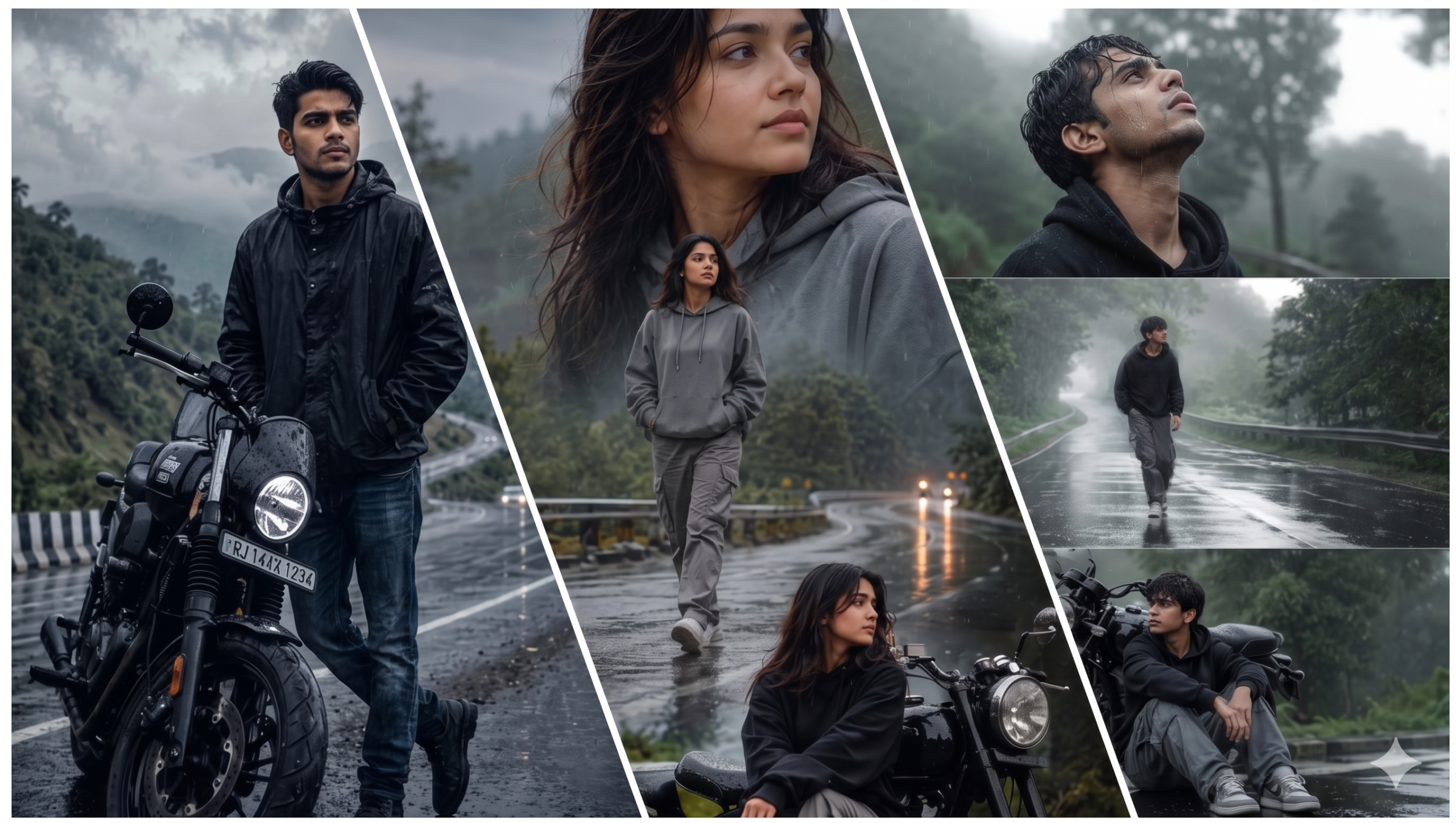
Monsoon season har photographer aur content creator ka favourite time hota hai. Green landscapes, cloudy skies, rain droplets aur misty atmosphere photos ko naturally cinematic bana dete hain.
Agar aap Instagram, Facebook ya YouTube Shorts ke liye viral AI photos banana chahte hain, to Monsoon AI Photo Editing Prompts aapke liye perfect hain.
Sirf apni photo upload kijiye, ek detailed prompt paste kijiye aur AI kuch hi seconds mein rainy season style masterpiece create kar dega.
Is article mein hum jaanenge:
- Monsoon AI Prompt kya hota hai?
- AI se rainy season photo kaise banaye?
- Best Copy-Paste Ready Prompts
- Professional Tips
- FAQs
Monsoon AI Photo Editing Prompt Kya Hai?
Monsoon AI Prompt ek detailed text instruction hoti hai jo AI image generator ko batati hai ki image kis style mein create karni hai.
Prompt mein aap ye sab define kar sakte hain:
- Rain effect
- Green nature background
- Fog aur clouds
- Lighting
- Camera quality
- Cinematic color grading
- Face identity preserve
Jitna detailed prompt hoga, utna hi realistic result milega.
Monsoon AI Photos Itni Viral Kyun Ho Rahi Hain?
Aaj kal rainy aesthetic images social media par bahut trend kar rahi hain.
Iske kuch reasons:
- Cinematic look
- Natural greenery
- Emotional atmosphere
- Instagram Reels ke liye perfect visuals
- High engagement aur shareability
Isi wajah se creators AI ki madad se rainy portraits bana rahe hain.
AI Se Monsoon Photo Kaise Banaye?
Step 1
Apna favourite AI Image Generator open karein.
Step 2
High-quality portrait upload karein.
Step 3
Neeche diya gaya English prompt paste karein.
Step 4
Image generate hone ke baad zarurat ho to prompt mein changes karke dobara generate karein.
Best Monsoon AI Photo Editing Prompt
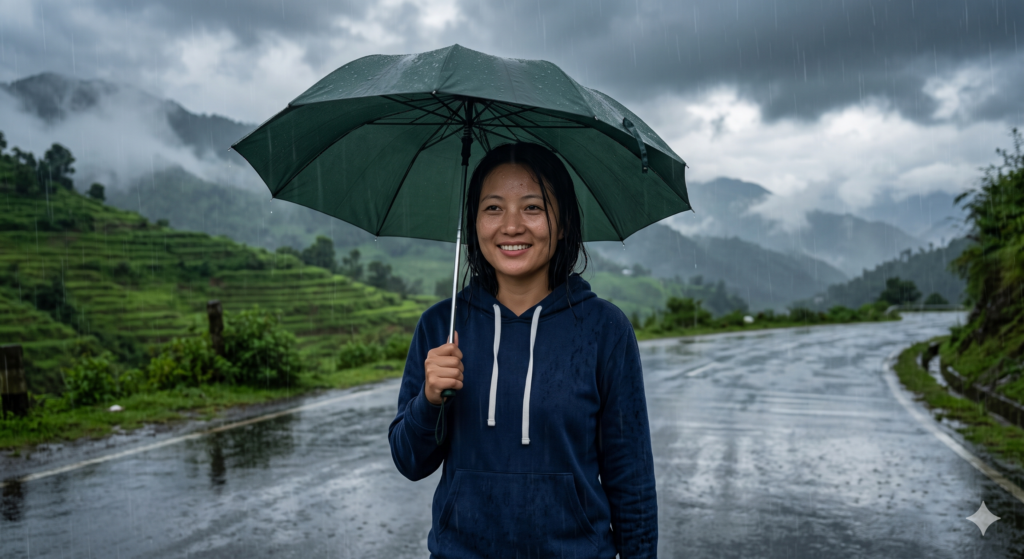
Create an ultra-realistic cinematic monsoon portrait using the uploaded image.

Keep the person's face, hairstyle, skin tone, facial expression, outfit and identity exactly the same.

Transform the environment into a beautiful rainy landscape with lush green trees, misty mountains, dark clouds, soft rainfall, reflective wet roads and natural fog.

Lighting should be soft daylight with cinematic HDR, realistic shadows and premium color grading.

Style should look like professional DSLR photography with natural skin texture, shallow depth of field and realistic rain reflections.

Resolution: 8K Ultra HD.

Negative Prompt:
cartoon, anime, blurry face, low quality, watermark, logo, identity change, extra fingers, distorted face.
Prompt 2 – Rain Road Portrait
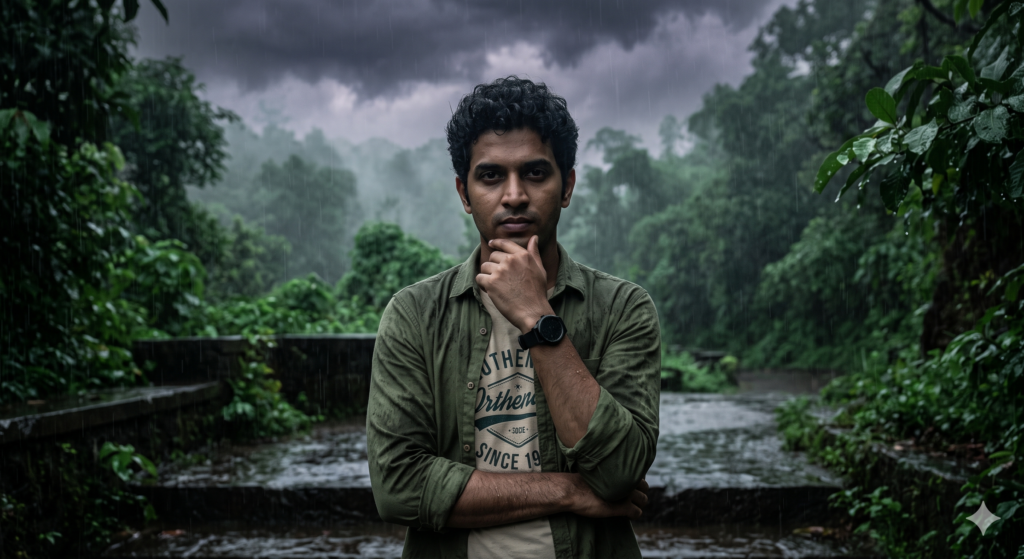
Create an ultra-realistic cinematic forest portrait using the uploaded image.

STRICT IDENTITY & OUTFIT LOCK: Keep the exact same face, hairstyle, skin tone, expression, pose, outfit, accessories, and overall appearance. No changes to the person or clothing.

Transform only the background into a dark emerald-green forest with dense mist, realistic fog diffusion, and a rainy-season atmosphere.

Color Grading: Dark teal and emerald-green tones, desaturated colors, soft matte finish, deep shadows, cold cinematic look, soft contrast, and moody forest aesthetics.

Lighting: Soft diffused natural light, atmospheric haze, realistic shadow falloff, and cinematic depth.

Style: Ultra-realistic DSLR photography, premium cinematic color grading, photorealistic, Instagram reel aesthetic.

Quality: 8K, sharp focus, realistic textures, masterpiece quality.

Negative Prompt: face distortion, identity change, outfit change, cartoon, anime, CGI, blurry, watermark, logo, low quality.
Prompt 3 – Umbrella Style
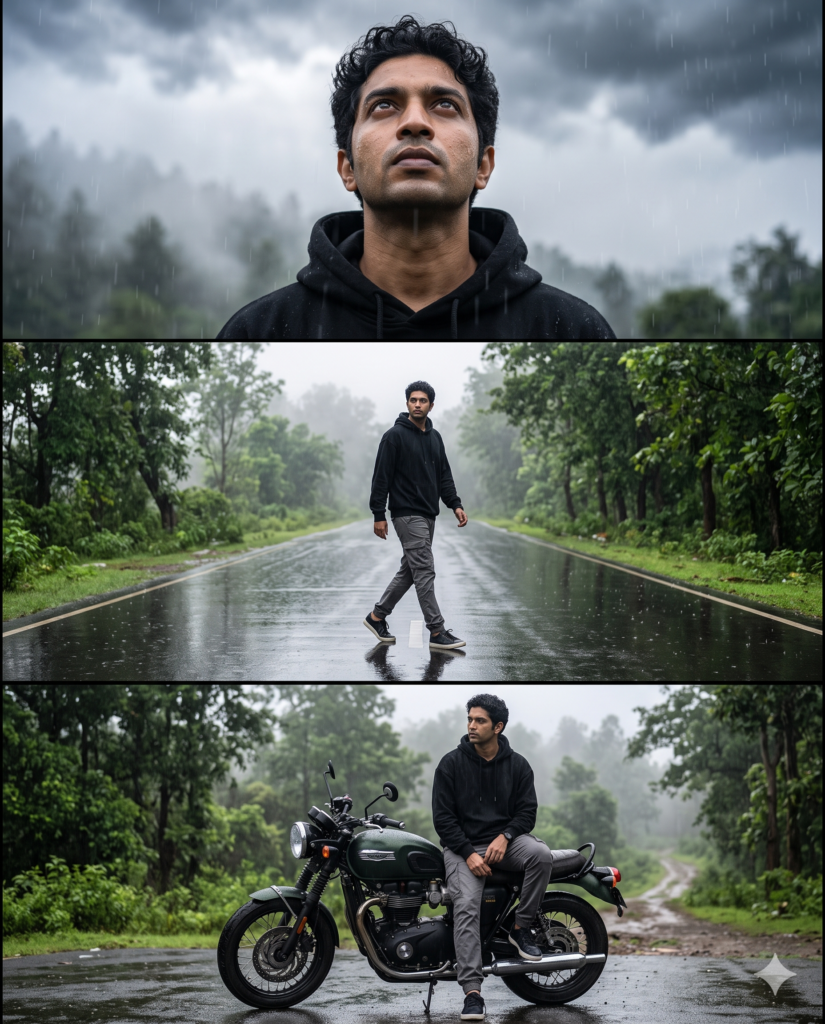
Create an ultra-realistic rainy cinematic collage in 4:5 format using the uploaded image as the ONLY facial identity reference.

STRICT IDENTITY LOCK: Keep the exact same face, hairstyle, skin tone, expression, and identity in all three frames. Preserve realistic skin texture and natural facial lighting. Only the outfit, background, camera angle, and atmosphere may change.

Outfit: Black oversized hoodie, grey cargo pants, and sneakers.

3-Frame Layout:

Top: Looking up at the sky with raindrops on the face.
Middle: Walking alone on a bright wet road.
Bottom: Sitting thoughtfully beside a motorcycle.

Background: Rain-soaked road, lush green trees, foggy atmosphere, glowing puddle reflections, realistic rain particles, and dramatic overcast clouds.

Style: Ultra-realistic DSLR photography, cinematic rainy-day aesthetic, photorealistic, premium Instagram editorial.

Lighting: Bright overcast daylight, HDR, soft dreamy contrast, realistic reflections.

Quality: 8K, Nikon Z9 look, ultra-sharp details, crystal-clear skin texture, masterpiece quality.

Negative Prompt: face distortion, identity change, cartoon, anime, CGI, blurry, watermark, logo, low quality.
Prompt 4 – Forest Rain
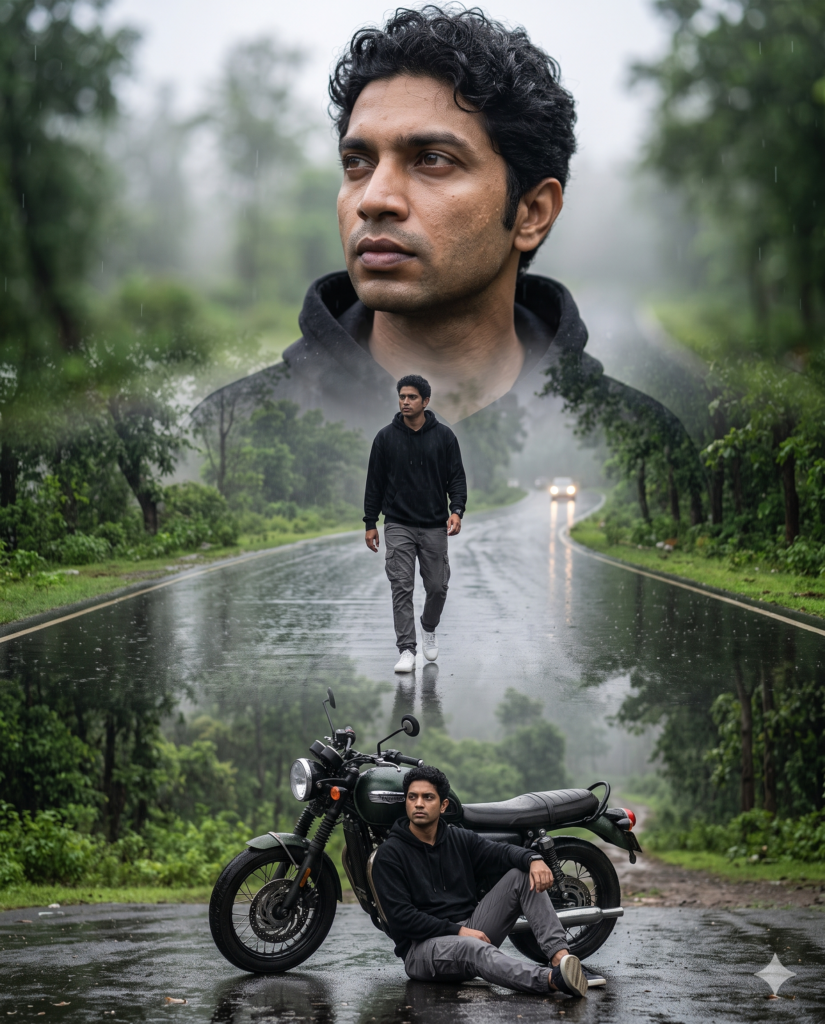
Create an ultra-realistic triple-exposure rainy portrait in 4:5 format using the uploaded image as the ONLY facial identity reference.

STRICT IDENTITY LOCK: Keep the exact same face, hairstyle, skin tone, expression, and identity. Preserve realistic skin texture and natural facial details.

Triple Composition:

Top: Large close-up portrait looking thoughtfully into the distance.
Center: Full-body walking confidently on a rain-soaked forest road.
Bottom: Relaxed pose sitting beside a black retro motorcycle.

Outfit: Black oversized hoodie, grey cargo pants, and white sneakers.

Background: Winding wet forest highway, lush green trees, light rain, mist, reflective asphalt, distant headlights, and monsoon atmosphere.

Style: Ultra-realistic DSLR photography, cinematic triple-exposure, premium magazine editorial, photorealistic.

Lighting: Soft overcast daylight, HDR, cinematic color grading, shallow depth of field.

Quality: 8K, sharp focus, realistic rain effects, masterpiece quality.

Negative Prompt: face distortion, identity change, cartoon, anime, CGI, blurry, watermark, logo, low quality.
Best Tips
- High-resolution photo upload karein.
- Face clearly visible hona chahiye.
- Natural pose use karein.
- Prompt English mein likhein.
- Artificial effects ko limit mein rakhein.
Common Mistakes
- Low-quality selfie upload karna.
- Face blur hona.
- Bahut zyada rain effect use karna.
- Prompt adhura likhna.
- Low-resolution output select karna.
FAQs
Kya ye prompts free hain?
Haan, inhe aap free AI image tools ke saath bhi use kar sakte hain.
Kya face same rahega?
Agar prompt mein identity preserve karne ka instruction diya ho aur tool support karta ho, to face kaafi had tak same reh sakta hai.
Kis aspect ratio mein best result milta hai?
Instagram Reels ke liye 9:16 aur feed posts ke liye 4:5 ya 1:1 kaafi popular hain.
Conclusion
Monsoon AI Photo Editing Prompts ki madad se aap simple photo ko professional rainy-season artwork mein badal sakte hain. Detailed prompts, achhi quality ki image aur realistic settings ka combination sabse behtar result deta hai. Rain, greenery aur cinematic lighting ka use karke aap social media ke liye eye-catching visuals create kar sakte hain.